
IPTV Not Working After Renewal? A Login and Account Checklist
Why does my IPTV player still say expired after I paid?
The renewal may still be processing, may have been attached to a different account, or the message may refer to a separate player licence. Check the order and error wording, then ask official support to reconcile the account.
You renewed a subscription, received a receipt, and expected the television to work immediately. Instead, the player still says expired, rejects the login, or opens without playable content. Those messages can have different causes. This VocoTV guide walks through a careful sequence for customers in the United States and Canada so you can describe the problem to support without paying twice or exposing credentials. VocoTV sells the service discussed here; this is a commercial support guide, not an independent report that every error has one fix. Your order's current terms and official support instructions take priority over general steps in an article.
Check VocoTV trial eligibility
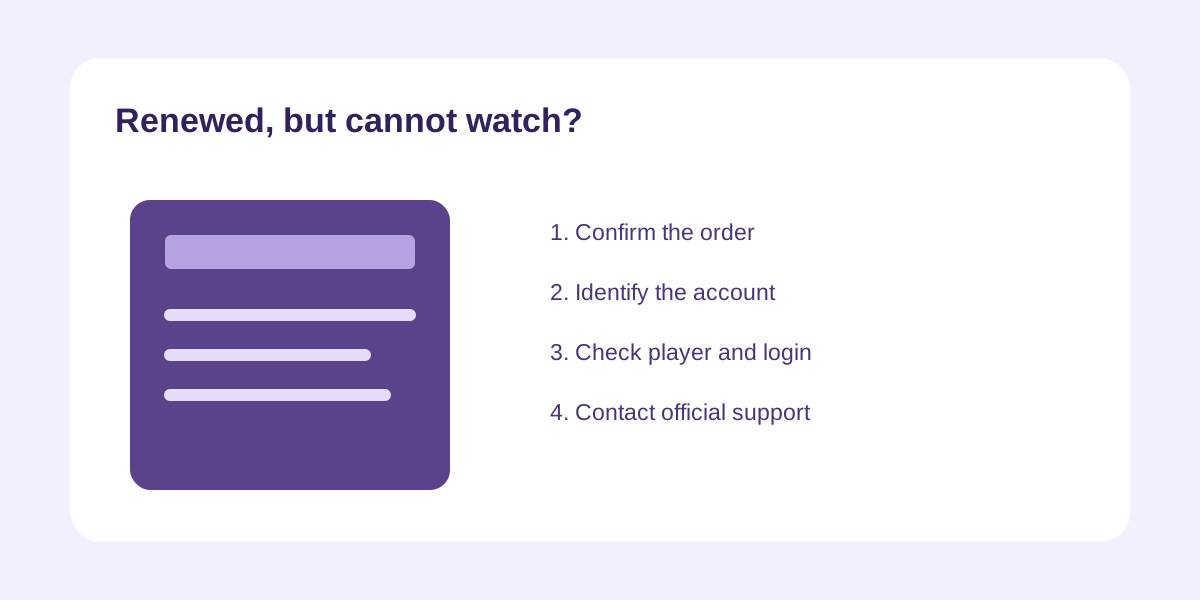
Original editorial illustration above; no test score is implied.
Confirm the payment and the exact order
Find the confirmation for the renewal you just placed. Check the domain and sender, the order number, plan name, amount, date, and account email. A card authorization or payment-provider notification may appear before the seller finishes processing an order, so distinguish a pending charge from a completed service renewal. Do not place a second order simply because the player still says expired. If you have more than one account, check which email and username the purchase was attached to. A household may have an old trial, a paid account, and a player-app licence with similar names. The renewal needs to be associated with the subscription that the device is using. When contacting support, give the order number and account email through the official private channel; never paste a card number, password, or full playlist URL into a public comment.
Separate the app from the service account
An IPTV player can be a separate application with its own activation or licence. Renewing the content subscription does not necessarily renew a paid player app, and updating the app does not extend the service term. First identify what is displaying the error: the device's operating system, the player app, or the subscription login inside it. A notice asking for a player activation fee is different from a service account expiry message. Read the exact wording and record a screenshot after hiding credentials. Ask which company operates the app if that is unclear. Check whether the provider supplied a new username, password, portal address, or playlist after the renewal. Do not replace a known working player with an unrelated download from search results merely because the subscription failed. Changing several components at once makes diagnosis harder and can create a new security risk.
Give the renewal a clear processing checkpoint
Check the order confirmation for any stated activation or processing time. If it says to wait for a new set of credentials, do not repeatedly sign in with the old details and conclude that the account is broken. If the order should have extended the existing account, verify the current expiry in the official account panel if available. Save the time of payment and the time you first checked access. If the expected time passes without a confirmation or service change, contact official support with that timeline. One concise message is more useful than many duplicate tickets: include the order number, account email, plan, device model, player name, exact error and time zone. Avoid sending a screenshot of the entire account page if it includes a password or token.
Check the credentials one field at a time
Typing a long login with a television remote is error-prone. Confirm that the username, password, and server or portal address are entered in the right fields and that no extra space was copied at the beginning or end. Check capitalization and easily confused characters. If the provider sent new credentials, use those rather than assuming the old password carried forward. If the player accepts a playlist URL instead, do not paste the URL into a server-address field. Follow the provider's instructions for the exact player version. Test the account on one device first, not every TV at once. If login works on a phone but not the living-room device, the difference may be player version, device support or entry error. Keep the successful device as a reference while diagnosing the other one.
Check whether the problem is a connection limit
An account may authenticate but refuse a new stream when the permitted number of concurrent connections is already in use. Ask whether your renewal retained the same allowance as the previous plan. A two-device installation is not proof of two simultaneous streams. Stop playback on other household screens and try one device alone. If that works, start the second only if the plan allows it. If a device you sold or left in a rental still has the login, ask support how to remove it or rotate credentials. Do not attempt to evade the connection limit by constantly resetting devices or changing networks. The lasting fix is to use the plan according to its terms or select a plan that explicitly covers the household's actual viewing pattern.
Distinguish an account error from a network error
If the app opens and signs in but content will not load, check whether the device has ordinary internet access. Open another legitimate app or use the device's connection test. If everything on the device fails, investigate Wi-Fi, router or broadband first. If other internet services work but this player does not, note whether all categories fail or only one item. A particular stream error is a different report from an account that cannot fetch any list. Try the same account on one other supported device if the plan permits. Do not share a password with strangers offering a quick fix. Tell support what worked, what failed, and the exact time. This helps them identify whether the subscription state, player integration, or an individual content item needs attention.
Review the player version without losing settings
An outdated player can cause login or loading problems, but an update is not always the first step. Record the current app name and version. Check the official store or the player's publisher for updates appropriate to your device, and ask the provider whether that version is supported. Before uninstalling, make sure you know the login method and have the credentials in a safe place. Uninstalling may remove saved settings, favorite lists or portal addresses. If the current app came from a direct installer, verify the source with the provider before downloading a newer file. A random APK in a forum or search result is not an official support path. If the app has a cache-clear function, distinguish clearing temporary data from deleting the account configuration.
Handle a changed plan or price carefully
The service term, connection count and add-ons on the renewal may differ from the old order. Compare the receipt with what you intended to buy. If the wrong product was selected, contact support before purchasing another one. Ask whether the order can be corrected and how any difference will be charged or refunded. Check the billing currency and whether your payment provider applied a conversion fee. A promotional screenshot is not proof of the final checkout terms. Save the written answer about the plan correction, including whether the expiration date and simultaneous stream allowance will change. Do not claim that a renewed subscription is active simply because a charge appears on a bank statement; reconcile the order with the service account in the seller's system.
Build a useful support ticket
A good ticket has a short subject such as 'Renewal paid, account still shows expired on Fire TV.' Then provide the order number, account email, renewal time and time zone, plan name, device model, player name and version, exact error, and the steps already tried. State whether a second supported device works and whether other internet apps work on the affected device. Attach a cropped screenshot that hides usernames, passwords, payment details and playlist URLs. Ask one direct question: was the renewed term applied to this account, and if so which credentials and portal should the player use? This avoids vague back-and-forth. Use the official support page or reply to a verified order confirmation rather than an unsolicited social message.
Know when to stop troubleshooting yourself
If payment is complete but the account status still shows expired after the seller's stated processing window, only the seller can reconcile the order. If the provider says the account is active but the player rejects credentials on every supported device, request the correct login information. If one device works and another does not, focus on that device and its player rather than paying again. If content rights or availability in your location are the issue, no local cache change can grant rights that are not offered. Keep the order, terms and support responses together. If you need to discuss a refund or cancellation, use the current policy shown for the order. Avoid deleting evidence or making repeated charges while the case is unresolved.
Resolve the order before changing the whole setup
The fastest useful path is to confirm the receipt, the account it renewed, the player's exact error, and one-device behavior. The VocoTV account and current plans should be checked through the official site, and any unresolved activation problem should go through official support. This guide cannot promise an activation time, player compatibility or content catalogue for every order. It can help you avoid duplicate payment and give support the information needed to solve the correct problem.
Frequently asked questions
Why does my IPTV player still say expired after I paid?
The renewal may still be processing, may have been attached to a different account, or the message may refer to a separate player licence. Check the order and error wording, then ask official support to reconcile the account.
Should I buy the plan a second time?
Not before confirming the first order's status. A second purchase can create duplicate charges without fixing a login or player issue. Use the first order number in a private support request.
Will a new subscription password be sent after renewal?
That depends on the provider and product. Read the order email and account panel. Do not assume the old or new credentials should be used until the official instructions make it clear.
Why does the account work on my phone but not on my TV?
The TV may use a different player version, login method or unsupported app. Compare the exact fields and messages, and give support both device models. A working phone does not prove the TV setup is correct.
Can the connection limit cause a playback error after renewal?
Yes, if the plan permits fewer simultaneous streams than your household is running. Stop other playback and try one device, then confirm the renewed plan's allowance and location rules.
What details should I never put in a public support post?
Keep passwords, full playlist URLs, activation codes, payment-card details and private account links out of public posts. Share the order number and cropped error evidence only with verified support through a private channel.
Further reading and current offers
Read our subscription cost guide and buffering troubleshooting guide for related questions. The FTC explains trial and recurring-payment checks; these are general consumer checks, not VocoTV-specific terms.